March Social Media Planner, Videos Posts + Training
3 Social Media Posts Done For You

Marketing: Follow-Up
Caption:
Imagine this: morning walks, belly rub breaks, and a home you both love.
Let’s make it official - your new home is waiting at [Apartment Name Here].
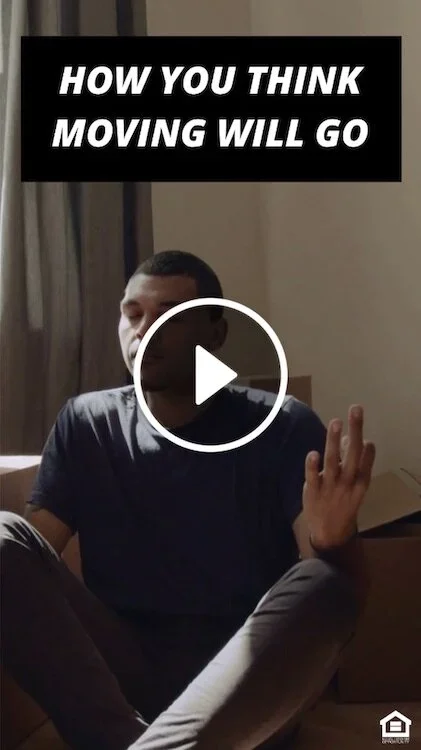
Renewal: Ideal Move
Caption:
Spring is flirting with new beginnings, but let’s be honest…
You and [Community Name] already have something really good going.
If your lease renewal is coming up, consider this a soft launch for another year together.
Questions about renewing? Come talk to us.

Just for Fun
Caption:
Apartment vibes + fresh greenery = the perfect combo. Here are 4 easy gardening tips perfect for patios, balconies, or sunny windows.
How Property Managers Can Create Video Content Without a Ton of Extra Time
Try It: Batch Content by Living Your Day
Instead of sitting down to “create content,” you:
Capture 3–5 second clips during natural transitions
Save them to your camera roll
Batch them later using text overlays, templates, or simple audio trends
Creating social media content doesn’t require carving out extra time or becoming a video person.
This Try It focuses on a simpler approach: capture short clips throughout your day and batch them later using overlays or light trends. No filming marathons. No pressure to perform. Just documenting real onsite life as it happens.
This checklist teaches you how to build a week or month of content by filming small, everyday moments while you’re already doing your job.
Instead of sitting down to “create content,” you:
Capture 3–5 second clips during natural transitions
Save them to your camera roll
Batch them later using text overlays, templates, or simple audio trends
The resource includes clear prompts for what to shoot, so you’re never guessing.
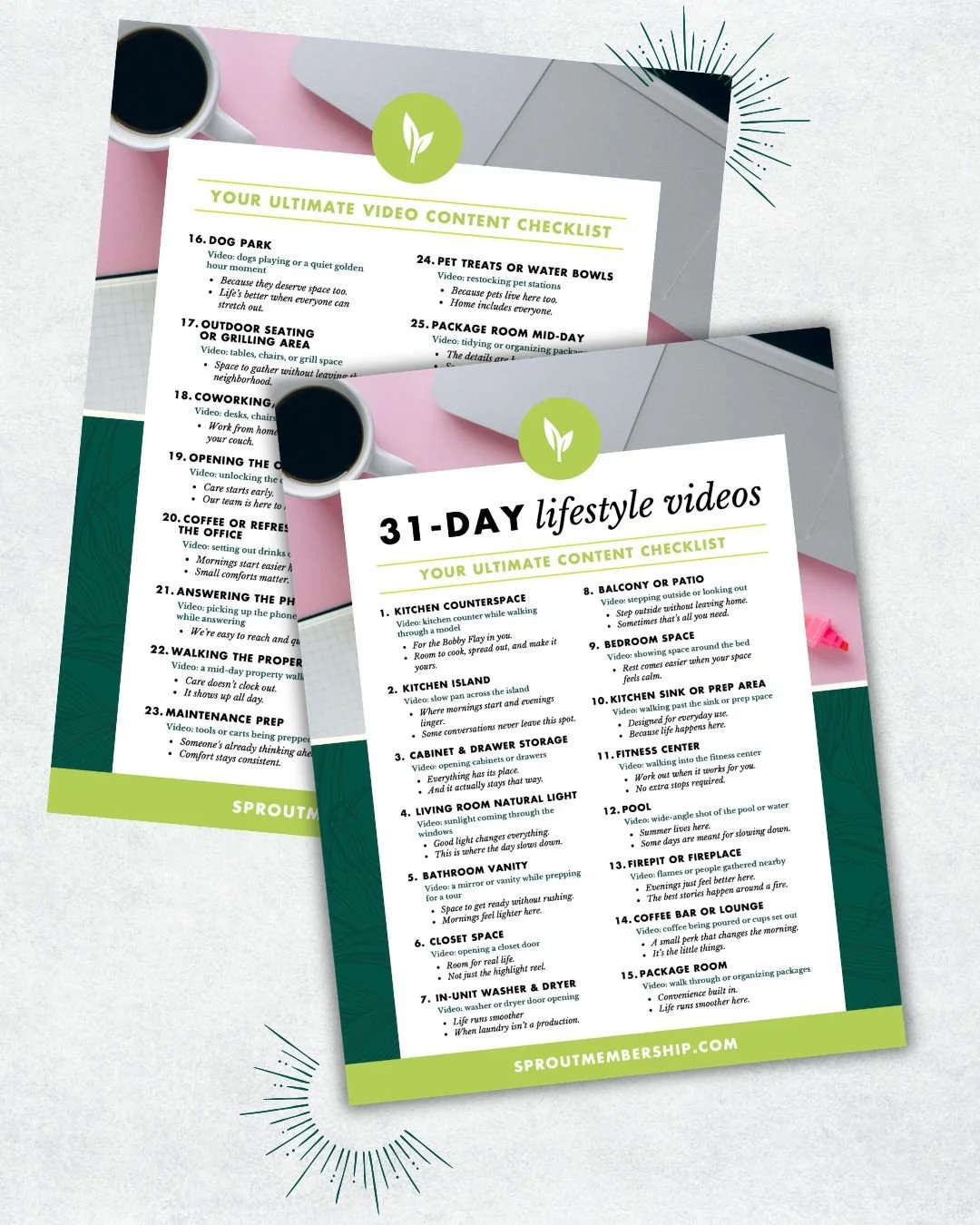
31-Day filming guide
Grab this 31-day filming guide and know what to shoot for great lifestyle video footage.
How to Use the Resource
Use the prompt list as a daily filming guide, not a checklist you must complete in one go.
As you move through your day:
Film a moment when you’re opening the office
Capture a feature while walking the model
Record a calm moment on the property or in an amenity space
You don’t need to talk on camera. You don’t need perfect lighting. You don’t even need to know what the post will say yet.
At the end of the week, open your camera roll and batch:
Add text overlays that sell the lifestyle
Pair clips with trending or neutral audio
Save drafts so posting takes minutes, not effort
Why This Works in Real Onsite Life
On-site teams don’t have large content blocks or quiet offices. This method respects that reality.
It works because:
You’re filming what already exists
Short clips feel lower pressure than “creating a video.”
Overlays allow you to communicate without being on camera
Batching removes daily decision fatigue
Most importantly, this approach builds confidence. Once you see how easy it is to capture usable content, posting no longer feels intimidating; it becomes manageable.
Social Media Planner
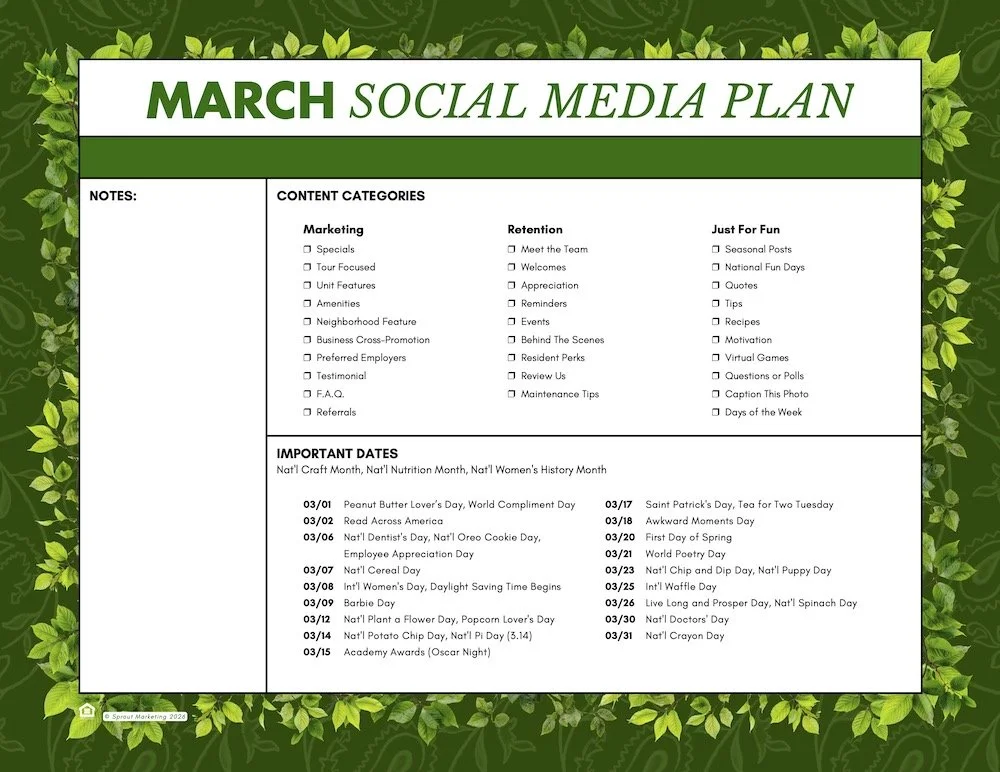
Use this Social Media Calendar with posting categories and monthly important dates to make your social strategy easier.
Protip: Always Apply the Power of Three:
Use the Power of Three framework—Attention, Trust, and Influence—to craft impactful social media content that engages residents, strengthens community bonds, and enhances your property’s reputation.